> ## Documentation Index
> Fetch the complete documentation index at: https://docs.eigent.ai/llms.txt
> Use this file to discover all available pages before exploring further.
# Tools
> Extend Eigent with MCP servers and tools
**Add your MCP server**
**You can follow the steps below to set up your model**
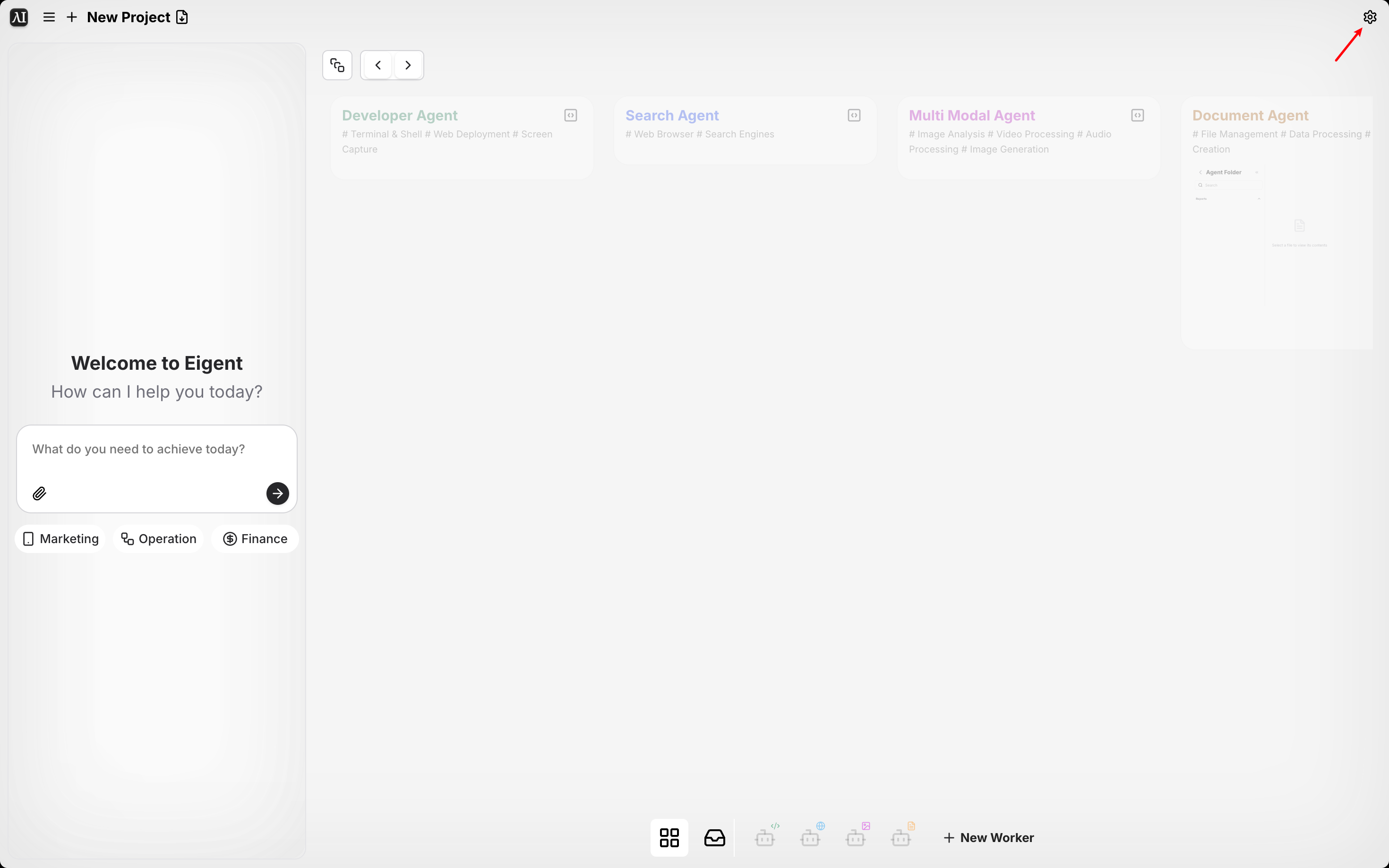
1. Click Settings
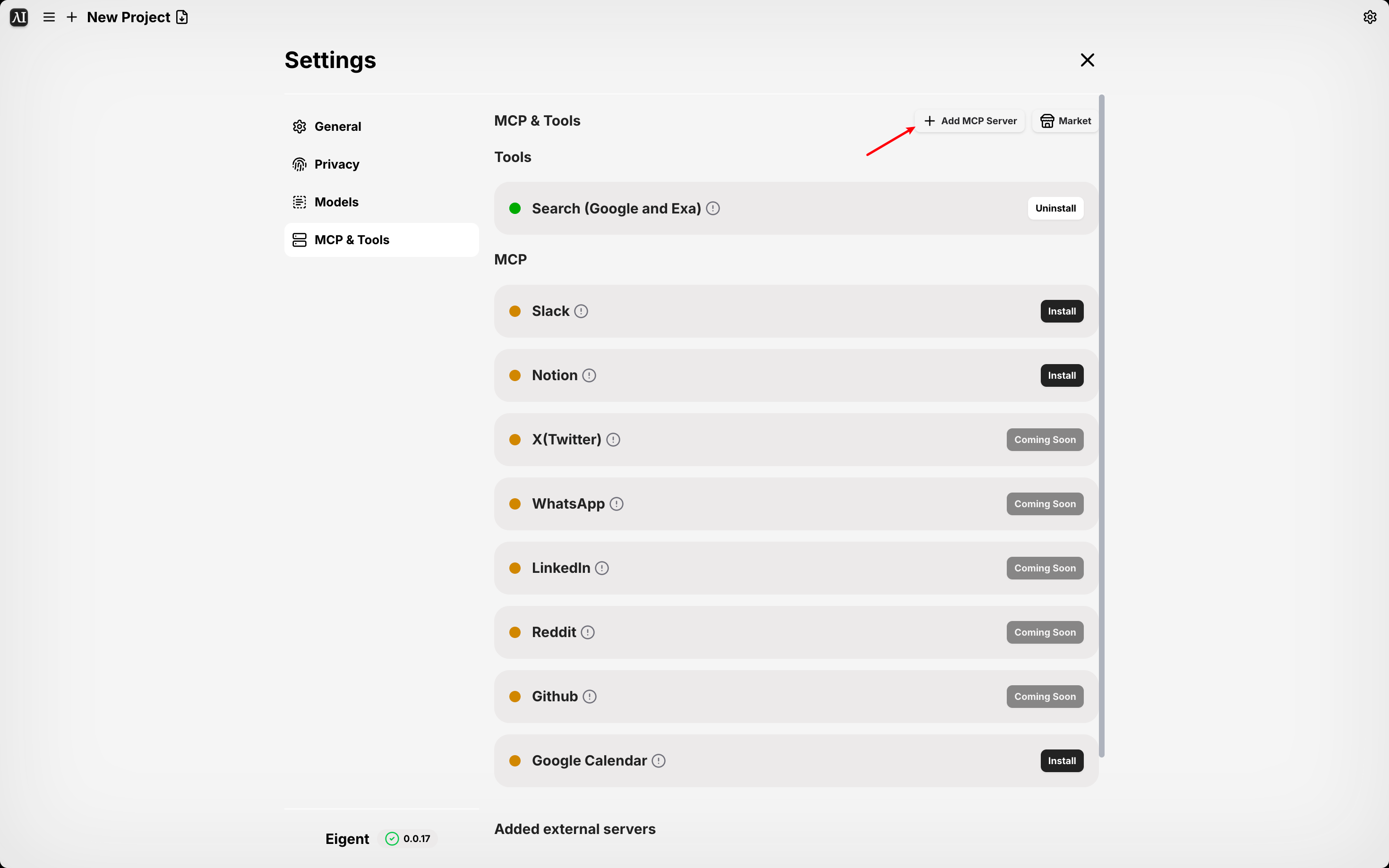
 2. Click Add MCP Server
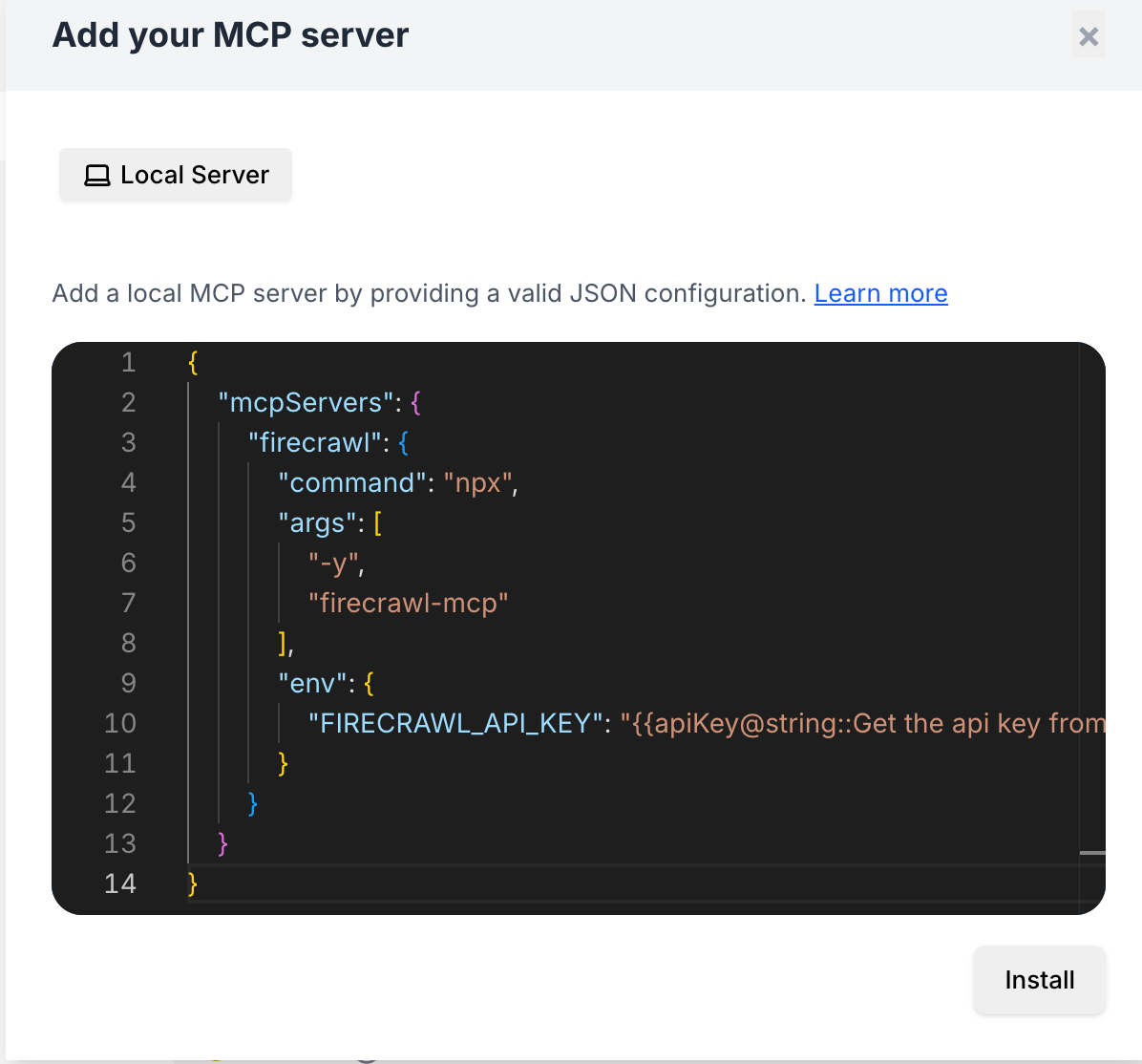
 3. Configure Your MCP Server and install
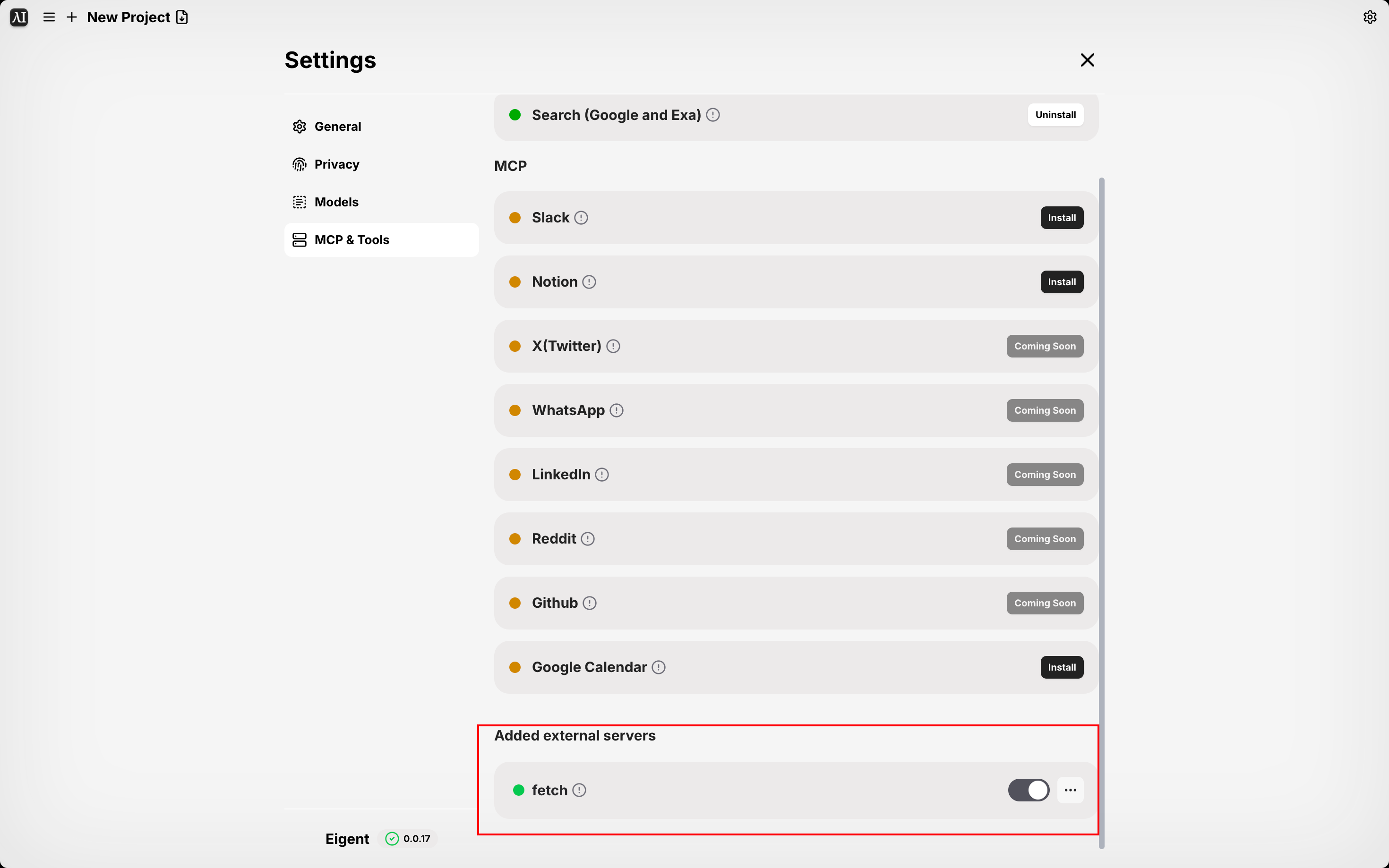
 4.Add external servers to your own Agent
* You can check the installed mcp server in the Added external servers column
4.Add external servers to your own Agent
* You can check the installed mcp server in the Added external servers column
 * After configuring your mcp server, you can add it to a Custom Agent.